What is PowAnime?
PowAnime is an Android app for finding anime, following series while they air, and keeping favourites organised, with recommendations, profile customisation, and subbed and dubbed viewing.
 PowAnime
Find it. Track it. Watch it.
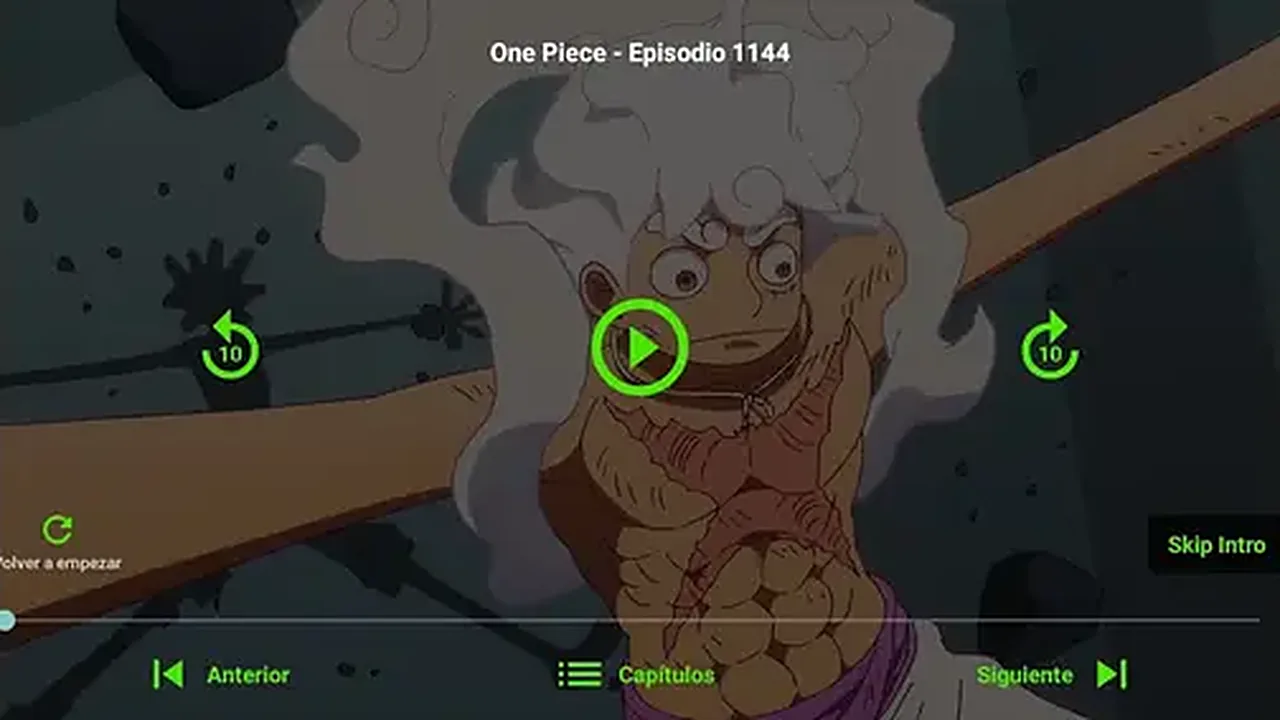
One Piece in PowAnime: where to start and what to track.
Find your next anime, track what airs, and keep your favourites in one place.
PowAnime is an Android app for finding anime, following series as they air, and keeping favourites in one place, with subbed and dubbed viewing and an offline mode for watching without a connection.
Inside: how subbed and dubbed viewing works, how favourites and profiles are organised, how offline viewing is handled, and what the listing states about safety and data.
Download PowAnime 1.0.3 (99.66 MB) from the download page after the countdown.
APK Details
| App name | PowAnime |
|---|---|
| Version | 1.0.3 |
| File size | 99.66 MB |
| Developer | Powdev |
| Package name | com.powanime.powanimeapp |
| Category | Entertainment |
| Requires Android | Android 7.0 and above |
| Rating | 4.4 out of 5 (3,031 reviews) |
| Downloads | 100,000+ |
| Content rating | Everyone |
| Ads | Contains ads |
| Price | Free |
The app description names the big series first, and they make a sensible starting shelf: One Piece, Naruto, Attack on Titan, Black Clover, Solo Leveling, Dragon Ball Z, My Hero Academia, Bleach, and Hunter x Hunter. Early recommendations lean on broad popularity, which is why those names lead. As you build a favourites list, the suggestions narrow toward the genres and tones you actually pick.
One Piece, Naruto, Bleach, and Hunter x Hunter reward a favourites list, because tracking progress across hundreds of episodes is where the app earns its keep.
Attack on Titan, Solo Leveling, and Black Clover suit viewers who want a complete arc to work through, with recommendations pointing to the next series when one ends.
Dragon Ball Z and My Hero Academia are the fast picks when you want something to start tonight, with the Spanish dub praised by fans who prefer dubbed viewing.
Follow the series you are watching and the app tracks what is currently airing, so new episodes surface without a fresh search each week.
These are real captures of the PowAnime app interface, taken from the app listing: the home screen, series pages, the genre picker, the weekly schedule, and the player itself.

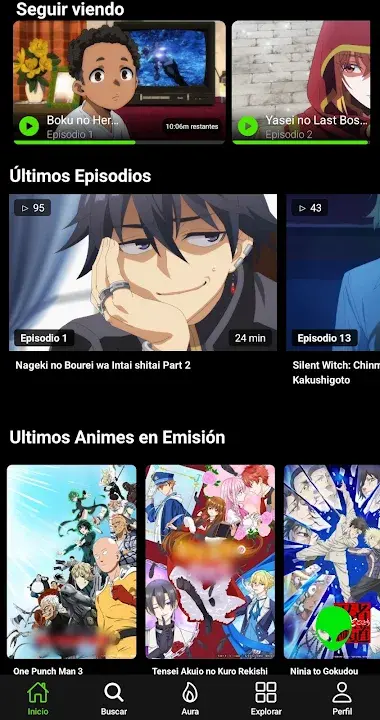
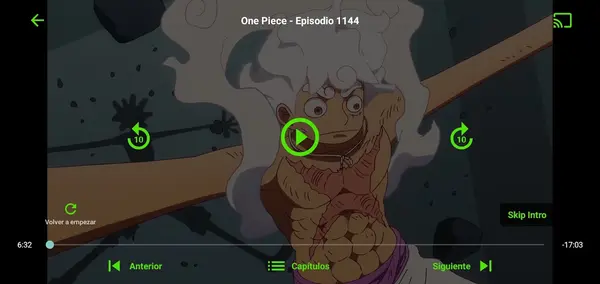
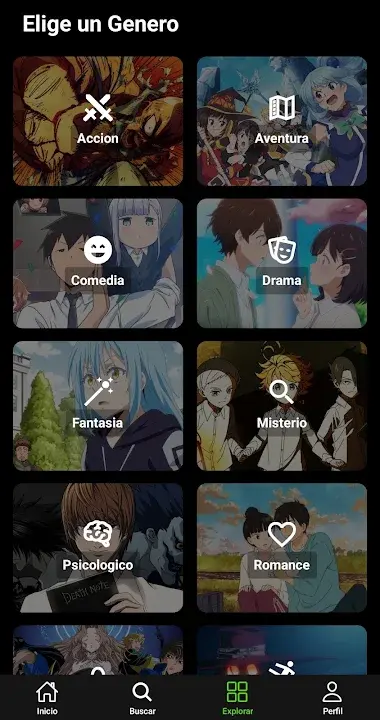
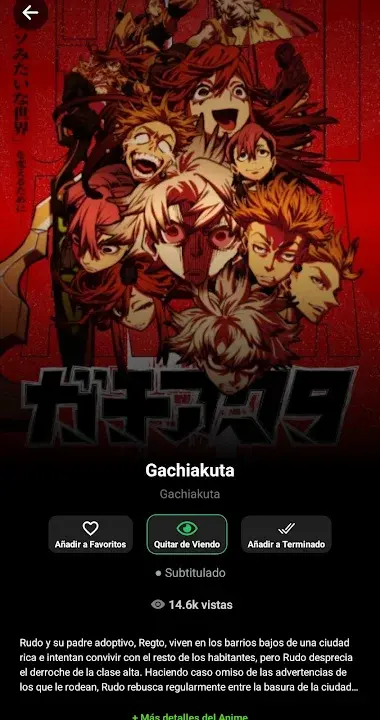
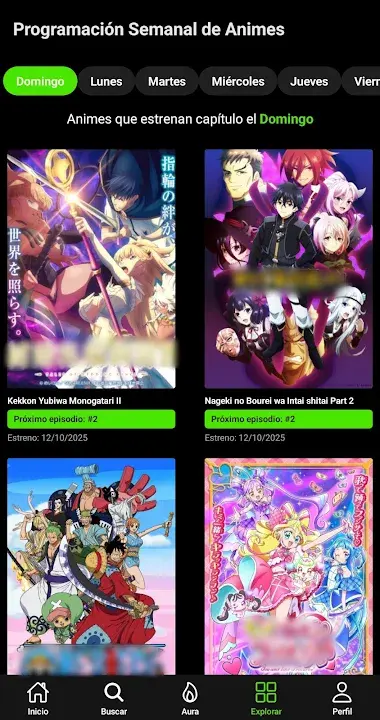
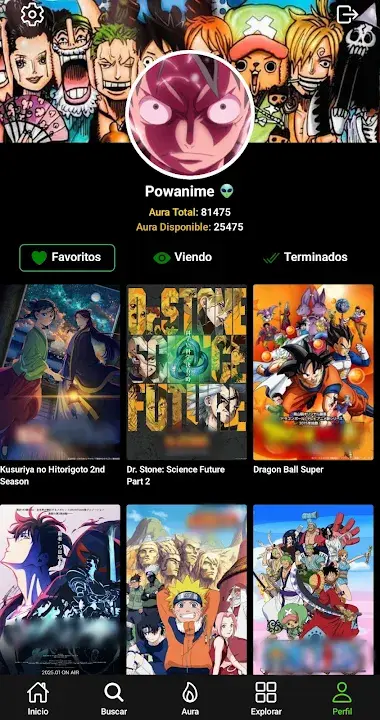
PowAnime is built around subbed and dubbed viewing, and the choice matters more than it sounds. Subbed viewing keeps the original Japanese voices with subtitles, which many fans prefer for performances and timing. Dubbed viewing uses a spoken version in another language, which suits viewers who want to watch without reading every line.
Fans writing about PowAnime single out the Spanish dub option in particular, praising the chance to enjoy series and films dubbed in Spanish. Whatever language you prefer, the practical rule is the same: pick the audio you will actually finish a series in. If subtitles pull you out of the story, try the dub. If the dub feels wrong for a particular show, switch back to subtitles for that title. In PowAnime the choice follows the series, not the other way round.
Recommendations sit at the centre of the experience. The app suggests titles based on what you watch and save, so the more you use your favourites list, the sharper the suggestions get. News and updates from the anime world sit alongside the catalogue, which makes PowAnime useful even on days when you are not starting anything new: you can check what changed, what is airing, and what other fans are talking about.
Profiles can be customised, and the favourites and watching lists are the parts fans praise most in reviews. Keep the list tidy and the app stays useful: save the series you plan to start, follow the ones you are watching, and remove the ones that did not hold you. Three episodes of To Be Hero X were reported missing after the series finished, which is a reminder to check a series page inside the app if an episode you expect is not there.
The official PowAnime download page describes one account for the whole PowAnime ecosystem. Register in any of the ecosystem apps and the same account carries your profile, your Aura, and your progress across PowAnime, AnimeUwU, Animewa, and Powentai, synchronised in real time. A subscription on one app likewise unlocks its benefits across the ecosystem, with no separate subscription per app.
There is also a separate TV build, PowAnime TV, made for the big screen and remote control navigation. It installs as its own app, in the same way as the phone version: download the APK, allow installs from unknown sources, and open it from the TV file manager. The apps run on Android 7.0 (Nougat) or later, on phones, tablets, and Android TV, with Android 10 or later recommended for the best experience.
The official download page presents PowAnime as a fast and fluid app with an offline mode: download episodes and watch them without internet, in HD quality, with no annoying ads. That offline mode is the feature fans quote most in the page testimonials, alongside the video quality holding up on any connection.
Two listings, two versions. The APK details table on this page follows the store listing for PowAnime. The official download page lists its own direct APK separately, served direct from the official server, with its own version and file size stated there. The two listings describe the same app through different channels, so the table keeps the store figures and this note keeps the direct listing visible.
Either way, the install path is the same: download the APK, allow installs from unknown sources in Settings, open the file, and accept the install. The download page on this site holds the attached file, version 1.0.3, so the download here matches the APK details table.
PowAnime is an Android app built around one job: helping fans of anime find series worth watching, follow them while they air, and keep the ones they love organised. It is a discovery app first, with recommendations matched to what you already like, profile customisation, tracking for currently airing anime, and an optimised viewing experience, free to use.
The app centres on discovery rather than guesswork. Instead of scrolling endless lists, you open PowAnime, see what is airing, check what is recommended for you, and keep the titles you care about in one organised place. That is the whole idea: less searching, more watching, with your favourites and your progress easy to find again the next time you open the app.
Installing PowAnime follows the same path as any app installed outside a store. The official download page lays it out in three moves: download the APK, allow installs from unknown sources, then open the file and accept the install.
The issues fans report most are the app closing on entry, videos that will not open, and the language changing to Spanish. The steps below are the plain checks that match those reports, in the order to try them.
App closes on entry. Fans report the app closing as soon as it opens, with clearing the cache not helping. Reopen the app and sign in again with the same Google account, then check whether the close happens before or after sign-in: that split tells you whether the problem sits with the sign-in step or with the app itself.
Videos will not open. Check the connection first, then try a different series to see whether the problem is one title or every title. If only one series fails, the issue is usually that title rather than your phone.
Language changes to Spanish. PowAnime is Spanish-first in much of its listing and dub offering, so a language shift is usually a setting inside the app rather than a fault. Open the app settings, set the language and audio preference you want, and check the same series again.
The store listing carries developer-declared data safety information, and it is short: no data is shared with third parties, no data is collected, data is not encrypted, and deletion can be requested. Those are the developer declarations as published, stated here exactly as the listing states them, with no extra claim added.
The listing also states that the app contains ads and is free to use, with a content rating of Everyone, and that it supports phones and tablets. Permissions are listed as 37 on the app information source used for the table. If any of those declarations change in a new listing, the table at the top of this page is where the change lands first.
Answers to the questions readers send in about PowAnime.
PowAnime is an Android app for finding anime, following series while they air, and keeping favourites organised, with recommendations, profile customisation, and subbed and dubbed viewing.
Yes. The store listing describes PowAnime as free to use, and states that the app contains ads.
The official download page states Android 7.0 (Nougat) or later for phones, tablets, and Android TV, with Android 10 or later recommended for the best experience.
Yes. The app is built around subbed and dubbed viewing, and fans single out the Spanish dub option in particular.
Recommendations are matched to what you watch and save. Early suggestions lean on popular series, and they narrow toward your tastes as your favourites list grows.
Yes. Tracking currently airing anime is one of the features named in the app description, alongside favourites and recommendations.
Fans report the app closing on entry, with clearing the cache not helping. Reopen it, sign in again with the same Google account, and note whether the close happens before or after sign-in, since that split points to the cause.
The developer-declared data safety information states that no data is shared with third parties, no data is collected, data is not encrypted, and deletion can be requested.
The store listing names the developer as Powdev. The official download page describes PowAnime as the original app of the PowAnime ecosystem, alongside AnimeUwU, Animewa, and Powentai.
PowAnime earns its place as a discovery-first anime app: recommendations, favourites, airing-anime tracking, and subbed and dubbed viewing in one fast package, free to use, with an offline mode on the direct listing and one account across the ecosystem. The reported closes on entry are the real caveat, so install it, sign in, and test a series you know before you build a long watchlist around it. If you watch anime every week and you are tired of losing track of what is airing, it is worth that first evening.